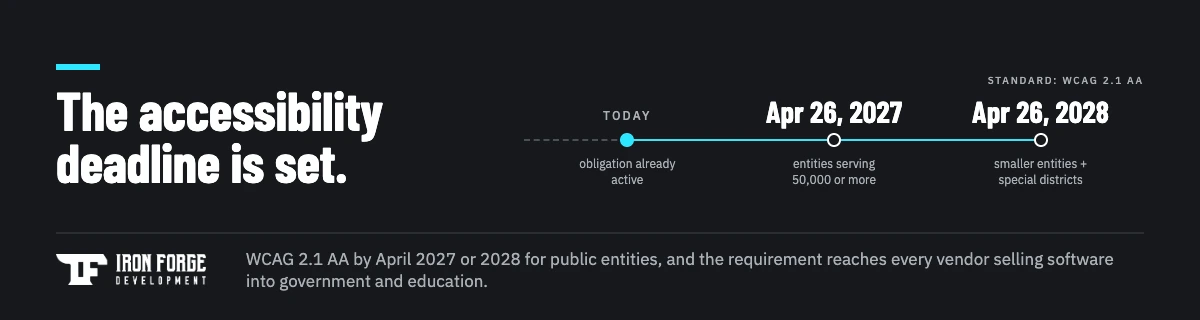
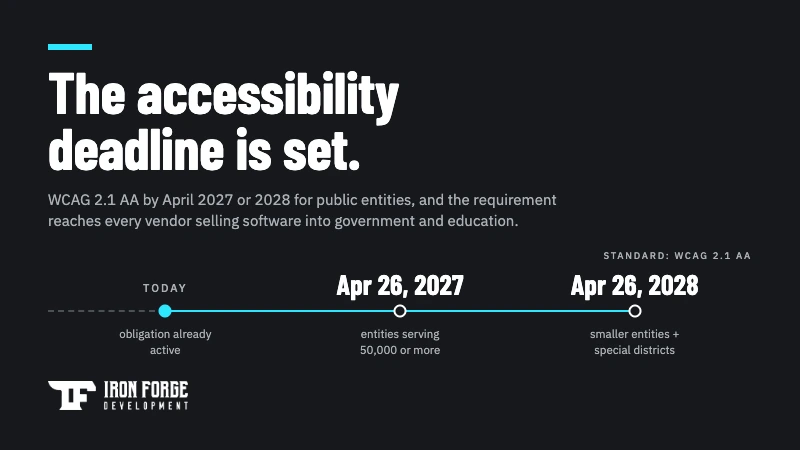
The Department of Justice has given ADA Title II a hard technical standard: websites, mobile apps, and digital content provided by state and local government entities must conform to WCAG 2.1 Level AA. Under the DOJ's April 2026 interim final rule, public entities serving 50,000 or more people must comply by April 26, 2027. Smaller entities and special district governments get until April 26, 2028. The obligation to provide accessible services is already active today; the deadline marks the point where that specific standard becomes enforceable. And if you build or sell software to government or education buyers, the requirement reaches your product through procurement well before any enforcement date matters.
One note before the details. This is general information, not legal advice. Population thresholds, entity classifications, and the rule's exceptions are fact specific, and the rule itself is recent. Verify your obligations against the current rule text at ADA.gov and confirm them with counsel.
Who the rule covers, and why vendors can't sit this out
Title II of the ADA applies to state and local government entities: school districts, public universities and community colleges, city and county agencies, courts, public transit systems, libraries, and special districts. The new rule makes their web content and mobile apps part of the accessibility obligation, whether the entity built the software itself or bought it from you.
That last part is what pulls vendors in. The rule regulates public entities, and a school district can't comply if its parent portal, payment system, or classroom tools don't conform. So the requirement flows downhill through contracts. Procurement teams are already writing WCAG 2.1 AA conformance language into RFPs and vendor agreements and asking for conformance reports up front. We've watched this land in live deals this year: a company selling into the K-12 market gets pointed at the rule by a district procurement contact, and a date on a government compliance calendar becomes a line item on their product roadmap.
If that's you, the practical read is simple. Your buyer's compliance date is your product requirement. And the buyers with the earliest date, the larger entities on the April 2027 clock, tend to be the biggest contracts.
The two deadlines, and what's already in force
The interim final rule sets two compliance dates:
- April 26, 2027 for public entities serving populations of 50,000 or more
- April 26, 2028 for smaller public entities and special district governments
Don't read those dates as the start of risk. The ADA's accessibility obligation exists now, and complaints and private lawsuits over inaccessible government digital services are already being filed. What changes at the deadline is the measuring stick: WCAG 2.1 AA becomes the specific standard an entity's websites and apps are held against. An organization that waits until 2027 to start is planning to be out of compliance on day one, because the remediation work takes longer than the runway that's left.
A related note if you serve the nonprofit world rather than government directly: organizations that receive federal funding can carry Section 508 accessibility obligations of their own, and funders increasingly ask about accessibility in grant applications. We cover that in our nonprofit software guide and its accessibility FAQ.
What WCAG 2.1 AA actually requires in the code
WCAG 2.1 AA is a defined, testable set of success criteria, which is good news: you can audit against it and know where you stand. Grouped the way the criteria show up in a real build:
- What users can see and hear. Text alternatives for images and icons, captions for video, color contrast of at least 4.5:1 for body text, and layouts that survive 200% zoom and reflow on small screens.
- Keyboard and focus. Every function reachable by keyboard alone, a visible focus indicator, no keyboard traps, and a way to skip repeated navigation blocks.
- Forms and errors. Inputs with real, programmatic labels, errors identified in text rather than color alone, and clear instructions where a field needs a specific format.
- Code assistive technology can read. Semantic HTML, and custom components that expose correct names, roles, and values so a screen reader can tell a button from a styled div, and knows when a status message appears.
Two clarifications worth making early. AA is the required level, so you don't need the stricter AAA criteria. And mobile apps count: the rule covers apps a public entity provides or makes available, which includes vendor built ones running an entity's programs.
Patch what you have, or build compliant from day one
For a product that already exists, the honest question is how deep the gaps go. Accessibility lives in the component library, the color system, the forms, the focus management, and every custom control in the product. You can't add it to one screen. A retrofit on a product that ignored it means reworking all of those, which is why the economics follow the same rule we wrote about for HIPAA compliant builds: compliance designed in from the start costs far less than compliance bolted on after launch.
A warning about shortcuts. Overlay widgets, the one line scripts that add an accessibility toolbar on top of a site, don't fix the underlying markup, keyboard behavior, or form semantics that WCAG 2.1 AA measures. Sites running overlays continue to draw accessibility complaints, and a procurement team that knows the rule will look straight past the toolbar at the product underneath. Conformance has to live in the code.
If you're building new for this market, the move is to make WCAG 2.1 AA an acceptance criterion from the design stage. Pick a color palette that passes contrast before any screen is designed. Choose or build a component library with keyboard behavior and screen reader support already in it. Write accessibility into the definition of done for every feature. Handled this way, accessibility is a constraint the design works within, and the cost mostly disappears into decisions you were making anyway.
What procurement teams will ask you for
Selling into government or education now means being ready to hand over evidence, and the asks are converging on a familiar set:
- A conformance report. Usually an Accessibility Conformance Report (ACR) built on the VPAT template, stating criterion by criterion how your product measures against WCAG 2.1 AA.
- An accessibility statement. A public commitment, plus a working way for users to report barriers and get help.
- Testing evidence. Automated scans catch only a subset of the criteria, so expect questions about manual testing: keyboard only passes and screen reader testing on real workflows.
- A remediation roadmap. Few products are perfect. A dated plan for known gaps is often acceptable where silence isn't.
Contract language is tightening too. Accessibility warranties and remediation commitments are showing up in vendor agreements, so have counsel look at what you're signing, and make sure the product team knows what the contract promised.
How to scope the work
Whether you're remediating or building new, start by turning the standard into a concrete, priced plan rather than a vague intention. That means an audit of where the product stands against WCAG 2.1 AA, a ranking of which gaps block real users and which are quick wins, and a scoped plan for closing them.
This is exactly the shape of our Discovery engagement: a $1,995 fixed price project that runs two to three weeks, with kickoff 7 to 10 business days after signing. You leave with a requirements document, API recommendations, development considerations, line item pricing, and timelines. Pointed at accessibility, that becomes a prioritized remediation scope with a fixed price against it, or a build plan for a new product with WCAG 2.1 AA baked into the acceptance criteria, which you can hand to procurement as evidence you take the requirement seriously.
On build budgets: accessibility done from day one mostly rides inside a normal build rather than sitting on top of it. Our custom software cost guide covers the baseline ranges; where a project lands within them depends on scope, and a heavy retrofit of an existing product is its own scoped project rather than a line item.
Selling into government or education and need your product to clear WCAG 2.1 AA? Start with a fixed price Discovery engagement and get an audit backed remediation plan with line item pricing, or book a free strategy call to talk through building accessibility in from the first screen.
Written by the team at Iron Forge Development, a U.S. based software commercialization firm that has helped launch 100+ products from idea to market.