Nonprofits and foundations usually build custom software for one of four jobs: donor and grant management workflows that outgrew spreadsheets, application and review pipelines (grants, scholarships, program admissions), member and volunteer portals, and integrations that make the accounting system agree with everything else. Cost wise, these are standard business applications, so the ranges in our custom software cost guide apply directly: a focused first version typically lands in the $25k-$75k range, and the price climbs with user roles, integrations, and workflow complexity rather than with the size of your mission. This guide covers what nonprofits most often build, the point where off the shelf tools stop being enough, and how to budget for the whole thing honestly, including the accessibility work and the maintenance that most first-time buyers forget.
What nonprofits actually build custom
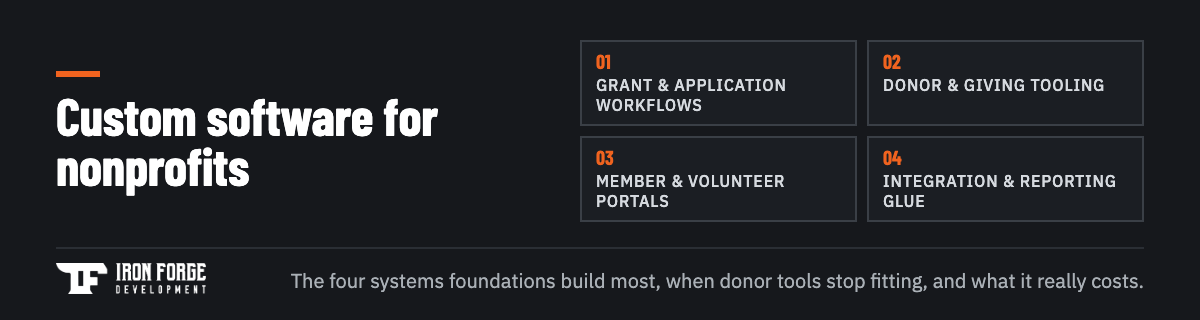
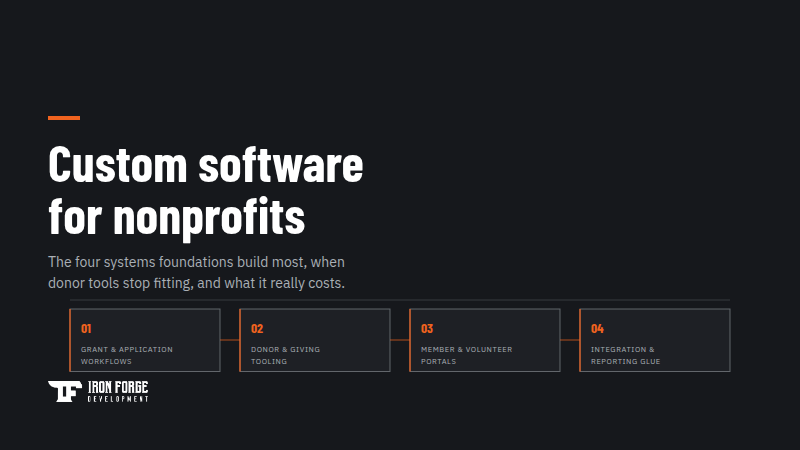
The pattern across nonprofit and foundation projects is consistent: the mission is unique, the operational pain is not. Four systems come up again and again.
- Grant and application workflows. Intake forms, eligibility screening, multi-stage review with scoring, award tracking, and reporting back to the board. This is the most common request from foundations, because generic form tools handle the intake and nothing after it.
- Donor and donation management. The donor CRM usually stays. The custom work fills what's missing around it: recurring giving flows, campaign pages that don't look like a third-party widget, payment processing that reconciles cleanly, and reporting that finance actually trusts.
- Member and volunteer portals. Logins for the people your organization serves or mobilizes: scheduling, hour tracking, certifications, communication, and self-service that takes routine requests off staff.
- Integration and reporting glue. The unglamorous system that connects donations, programs, and accounting so that year-end reporting stops being a three-week manual project.
Two of these are worth naming as portals because that's where custom work pays off fastest for lean staffs: every task a member, applicant, or volunteer can complete alone is a task a coordinator stops doing by email.
When off-the-shelf tools stop being enough
Most organizations shouldn't start custom, and we'll say that plainly even as a firm that builds custom software. Donor CRMs, form builders, and volunteer apps are cheap, proven, and good enough for years. The switch point arrives when the tools stop modeling how your organization actually works, and it announces itself in recognizable ways:
- Staff maintain shadow spreadsheets because the system can't represent your real process
- Your review workflow has stages, committees, or scoring the tool simply doesn't have fields for
- Data lives in five systems that disagree, and reconciling them consumes real staff time every month
- You're paying per-seat or per-record fees that scale with growth while the product still doesn't fit
- Reporting to the board or funders means manual exports and a week of cleanup
The decision logic is the same one we lay out in our no-code vs. custom software guide: buy the commodity, build the thing that's genuinely yours. For most nonprofits that means keeping the donor CRM and the accounting package, and custom-building the workflow layer that makes them fit your programs. Full replacement is rarely the right first project.
Accessibility is a requirement, not a polish item
Nonprofit software has a compliance dimension many commercial products can ignore. If your organization receives federal funding, Section 508 accessibility obligations can apply to the systems you put in front of the public. Even where no statute reaches, funders increasingly ask about accessibility in grant applications, and an inaccessible donation flow quietly turns away donors who use screen readers, keyboard navigation, or high-contrast settings.
Practically, that means building to WCAG standards: semantic structure a screen reader can navigate, full keyboard operability, sufficient color contrast, accessible forms with real error messaging, and captions or alternatives for media. The cost difference between building this in from the start and retrofitting it later is large, in the wrong direction. When you evaluate developers, ask which WCAG level they build to and how they test it. A partner who has done this work will answer specifically; a partner who says "we make it look good on mobile" has answered a different question.
What it costs, without the mystery
A nonprofit build is priced like any other custom software: by scope, roles, integrations, and complexity. The cost guide's published ranges are the honest anchor, with a focused first version typically in the $25k-$75k band and larger multi-portal systems above it. Boards evaluating a proposal should look past the build number to three other lines:
- Ongoing maintenance. Plan on 15-20% of the build cost per year for updates, fixes, and small improvements. A proposal without a maintenance answer is incomplete.
- Hosting and services. Cloud hosting, payment processing fees, email delivery. Modest, but they belong in the budget you show the board.
- What you stop paying. Custom software often retires per-seat licenses, add-on modules, and paid workarounds. Count the offsets, because the board should see the net number, not the sticker.
One honest caution: custom software is an investment that pays back through staff time and growth capacity. If the organization's process is still changing month to month, stabilize it first. Software freezes process into code, and freezing a process you haven't settled is expensive in both directions.
Grant-funding a software build
Plenty of nonprofit software projects are grant-funded, including capacity-building and technology grants, and that changes how you should structure the engagement. Funders want a defined scope, a budget, and a timeline before they commit, which is exactly what a paid discovery phase produces. Running discovery first, as its own small line item, gives you a requirements document and line-item pricing you can put directly into a grant application, instead of asking a funder to trust a rough estimate. It also protects you from the failure mode where a grant is sized on a guess and the real scope doesn't fit inside it.
Fixed pricing matters for the same reason. An hourly engagement with an open end is difficult to defend in a grant report; a fixed price against a defined scope is easy. Whoever you hire, ask how they handle scope definition before the grant application goes in, and whether they're used to guiding non-technical teams through those decisions. Program directors and executive directors are subject-matter experts, and the right partner treats them that way instead of hiding behind jargon.
Your data comes with you
Most nonprofit projects start with years of history in the old tools: donor records, gift histories, grant files, volunteer hours. That history is often the organization's most valuable operational asset, and migrating it cleanly is real work that belongs in the plan and the budget from day one.
Three questions sort out how big that work is. First, where does the history live today, and can it be exported completely (some legacy tools make leaving deliberately hard, which is worth knowing before you commit to a timeline)? Second, how clean is it: duplicate donor records, inconsistent naming, and half filled fields all have to be reconciled somewhere, and doing it during migration is cheaper than doing it after staff have started trusting the new system. Third, what actually needs to move? A common and sensible answer is to migrate active records in full and archive the deep history in a readable, exportable form instead of paying to model every field from 2009.
Ask any developer you evaluate how they handle migration, in what phase, and with what verification. The answer separates teams that have moved real organizations before from teams that treat data as an afterthought to the build.
What to prepare before you talk to developers
You don't need a spec. You need clarity on a short list of things that determine both fit and price, and an afternoon with your team can produce all of them:
- The workflow that hurts most, described end to end, with the spreadsheets it currently lives in
- Who touches the system: staff, board, applicants, members, volunteers, and what each group must do
- The tools that stay: donor CRM, accounting package, email platform, payment processor
- Your compliance picture: federal funding, data sensitivity, accessibility expectations
- A decision-maker with the authority to answer questions quickly once work starts
Bring that list to any competent developer and the conversation starts three meetings ahead. Bring it to a Discovery engagement and it becomes a requirements document, API recommendations, development considerations, and line-item pricing with timelines in 2-3 weeks, for a fixed price. That deliverable is yours either way: take it to your board, put it in a grant application, or use it to compare bids, whether or not we build the system. Our case studies show how those builds turn out when we do.
Is your team running the mission out of spreadsheets that stopped fitting a year ago? A Discovery engagement turns that pain into a scoped, priced, fundable plan. Reach out and tell us about the workflow that hurts most.
Written by the team at Iron Forge Development, a U.S.-based software commercialization firm that has helped launch 100+ products from idea to market.